General
Pro Tips
How to Properly Vibe Code Apps in 2026 (Without Building a Mess)
Apr 3, 2026
Vibe coding has gone from a niche experiment to a mainstream development approach in less than a year. The term was coined by Andrej Karpathy in early 2025 to describe building software by describing what you want to an AI rather than writing code yourself. Since then, the ecosystem has exploded. There are now dozens of tools, millions of people trying it, and a growing library of both success stories and cautionary tales.
The problem is that most guides either oversell it ("build a SaaS in 15 minutes!") or dismiss it entirely. The truth is somewhere in the middle. Vibe coding can produce real, shippable software — but only if you approach it with structure. Without structure, you end up with what developers call AI spaghetti: a tangled mess of generated code that works until you try to change anything.
This guide covers how to actually vibe code properly in 2026 — the real workflow, the real tools, and the real pitfalls.
Start With a Spec, Not a Prompt
This is the single biggest mistake people make. They open a tool, type "build me a project management app," and expect magic. What they get is a generic, half-baked prototype that falls apart the moment they try to add a real feature.
Before you touch any AI tool, write down exactly what you're building. This doesn't need to be a 50-page document. It needs to answer a few questions clearly.
What is this app? Who is it for? What are the three to five core features? What does the data look like — what are the objects, what are their properties, how do they relate? What platforms does it need to run on?
A good spec for a habit tracker app might be something like: "A native iPhone app that lets users create habits with a name and frequency, mark them complete each day, see their current streak, and get a daily reminder notification. Data should persist locally with optional cloud sync."
That's maybe five sentences but it gives the AI (and you) clear boundaries. You know what you're building, you know what you're not building, and every prompt you write from here is scoped to this spec.
Prompt in Steps, Not All at Once
The second biggest mistake is trying to build the entire app in one prompt. Even the most capable AI models produce better results when you break the work into focused steps.
Think of it like giving instructions to a contractor. You wouldn't say "build me a house" and walk away. You'd say "pour the foundation first, then let's frame the walls, then we'll do electrical."
For an app, a good sequence might look like this. First, set up the project structure and navigation. Then build the data model — what objects exist and how they relate. Then build the main screen. Then the detail screens. Then add the database or persistence layer. Then handle edge cases and polish.
Each step is its own prompt or set of prompts. You review the output after each one before moving to the next. This way, if something goes wrong at step three, you catch it before you've built five more features on top of a broken foundation.
Choose the Right Tool for What You're Building
The vibe coding ecosystem in 2026 is genuinely vast, and picking the wrong tool is one of the most common ways people waste time.
If you're building a web app — something that runs in a browser — tools like Bolt, Lovable, Replit, or v0 are reasonable starting points. They're fast, they handle deployment, and they're great for MVPs.
If you're building a native mobile app — something that runs on an iPhone, iPad, or Mac as a real app from the App Store — you need a tool that outputs actual native code. Most of the popular vibe coding tools don't do this. They build web apps or web wrappers. This matters because Apple has been actively cracking down on web-wrapped apps and even removed several vibe coding platforms from the App Store for this exact reason.
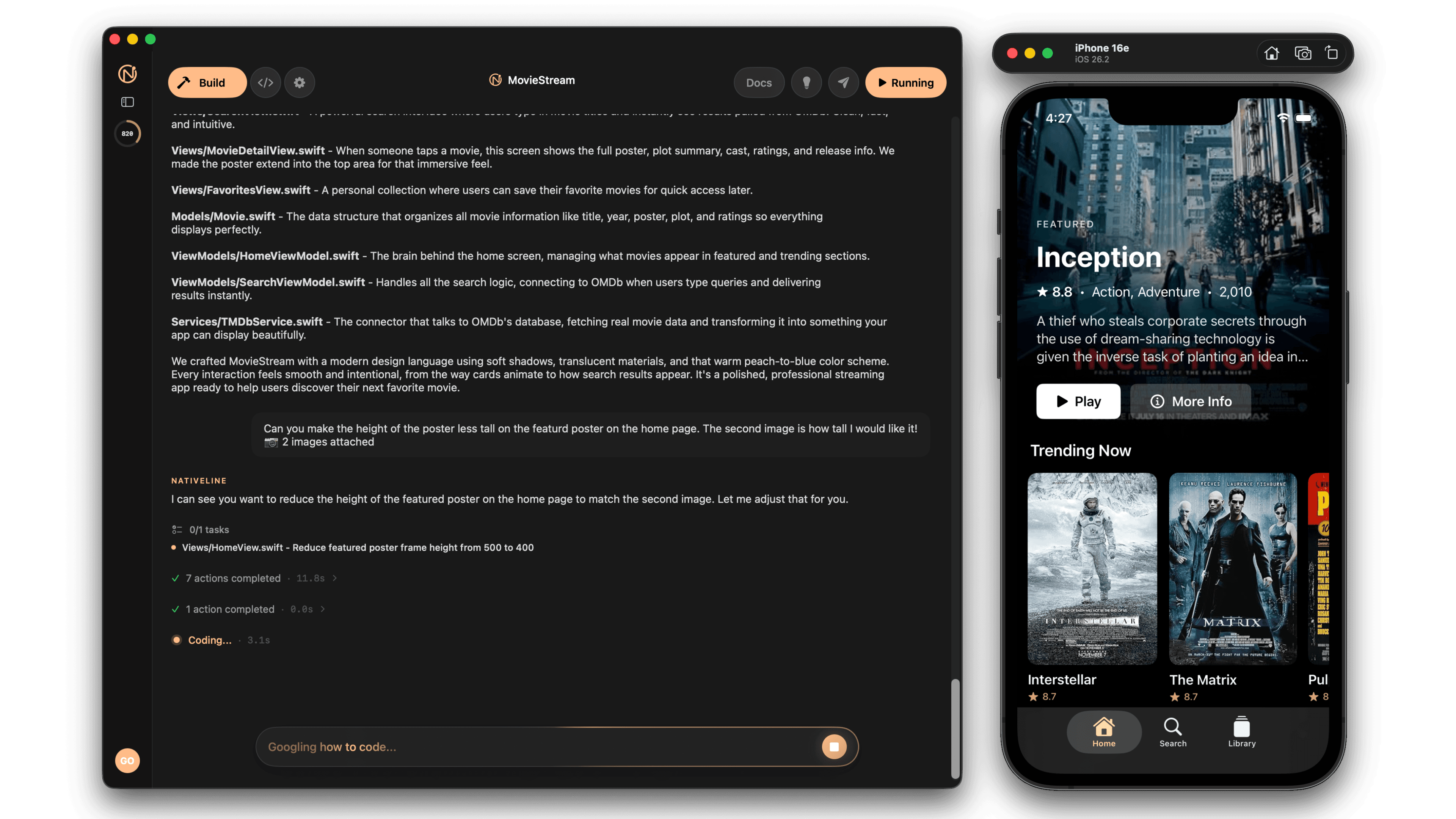
For native iOS and Mac apps, you need tools that produce real Swift and SwiftUI code. NativeLine does this — you describe your app, it generates a native Xcode project. Bitrig is another option that works on iPhone and Mac. Or you can use Claude Code or Cursor with Xcode if you're comfortable in a terminal.
If you're building something full-stack — a web app with a backend, database, user authentication — tools like Replit or Cursor paired with a framework like Next.js and a database like Supabase are the standard stack.
The critical question most people miss is: what does this tool actually output? If it outputs web code and you need a native app, you're going to hit a wall no matter how good the tool is.
The Prompting Workflow That Actually Works
Once you have your spec and your tool, here's the workflow that consistently produces good results.
Phase 1: Scaffold. Ask the AI to set up the basic project structure, navigation, and data models. Don't ask for any features yet. Just the skeleton. Review it. Make sure the architecture makes sense before you build on it.
Phase 2: Core features. Build each major feature one at a time. After each one, test it. Does it work? Does it integrate with the existing code without breaking anything? If something is off, fix it now — not after you've added three more features.
Phase 3: Data layer. Add your database, persistence, or cloud sync. This is often the part that trips people up because AI tools sometimes generate apps where data looks real but is actually hardcoded in the front end. Explicitly tell the AI that data must be stored persistently and not hardcoded.
Phase 4: Polish. Error handling, loading states, empty states, edge cases. This is the boring stuff that separates a prototype from a real app. Tell the AI specifically what scenarios to handle — what happens when there's no internet, what happens when the list is empty, what happens when the user enters invalid data.
Phase 5: Review. Before you ship anything, review what the AI built. You don't need to understand every line of code, but you should understand the overall structure and be able to identify anything that looks wrong. If you don't know how to read code at all, at minimum run the app through every user flow and test every edge case manually.
Common Pitfalls and How to Avoid Them
The "it works on my screen" trap. The AI generates an app that looks great in a demo but breaks in real-world conditions. Always test with real data, slow networks, and edge cases. If your app displays a list, what happens when there are zero items? What about 10,000 items?
The context window problem. AI models have a limited amount of context they can hold at once. As your app gets bigger, the AI loses track of earlier decisions. This leads to inconsistencies — the same function implemented two different ways, conflicting naming conventions, duplicated logic. The fix is to keep your prompts focused on one area at a time and reference specific files or functions rather than asking the AI to work on the whole codebase at once.
The "just add one more thing" spiral. Every new feature you prompt for gets added on top of the existing code. After a while, the architecture can't support the weight. If you find yourself constantly fighting the AI to add new features without breaking old ones, it might be time to refactor the foundation — or start fresh with a better spec.
Hardcoded data masquerading as a real app. This is extremely common. You prompt "build a todo app with tasks," and the AI generates a beautiful interface with five example tasks hardcoded in the source code. It looks functional but nothing is actually saved anywhere. Always explicitly tell the AI to use a real database or persistence layer, not mock data.
Security blind spots. Studies suggest that a significant portion of AI-generated code contains security vulnerabilities. If your app handles user data, authentication, or payments, you need to review the security-critical parts carefully or have someone who understands security take a look before you ship.
What "Properly" Looks Like in 2026
Proper vibe coding in 2026 isn't about trusting the AI completely or distrusting it completely. It's about using AI as an accelerator while maintaining enough oversight to catch problems.
The best vibe coders in 2026 do a few things consistently. They write clear specs before they start. They build incrementally, not all at once. They test after every major addition. They understand the limits of their tools. And they don't skip the review phase just because the AI said it was done.
Vibe coding isn't magic. It's a workflow. And like any workflow, the quality of the output depends on the quality of the process.
Getting Started Today
If you've never vibe coded before, start small. Don't try to build your dream app on day one. Build something simple — a single-screen app with one feature. Get familiar with the prompt-review-iterate cycle. Understand how the AI responds to different types of instructions.
Once you're comfortable with the basics, scale up. Add more screens. Add a database. Add user accounts. Each step teaches you something about how the AI thinks and where it needs more guidance.
The people who get the most out of vibe coding aren't the ones who write the cleverest prompts. They're the ones who break the problem down, give clear instructions, and pay attention to what comes back. That's it. No secret sauce. Just structure and attention.
Ready to build a real native app? NativeLine lets you describe your app and get a full Swift & SwiftUI Xcode project — with a real database, no coding required. Download for Mac — It's Free
More from the guide
General
Apr 7, 2026
Best AI iOS App Builders in 2026 (Honest Rankings)
You can now switch between Friendly, Formal, and Bold tones with a single click inside the prompt editor.
General
Apr 7, 2026
Nativeline vs Vibecode in 2026: Native Swift vs React Native
You can now switch between Friendly, Formal, and Bold tones with a single click inside the prompt editor.
General
Apr 7, 2026
Nativeline vs Superapp in 2026: Same Language, Different Philosophy
You can now switch between Friendly, Formal, and Bold tones with a single click inside the prompt editor.