General
Pro Tips
How to Vibe Code a Full Stack App in 2026: Frontend, Backend, and Database in One Workflow
Apr 3, 2026
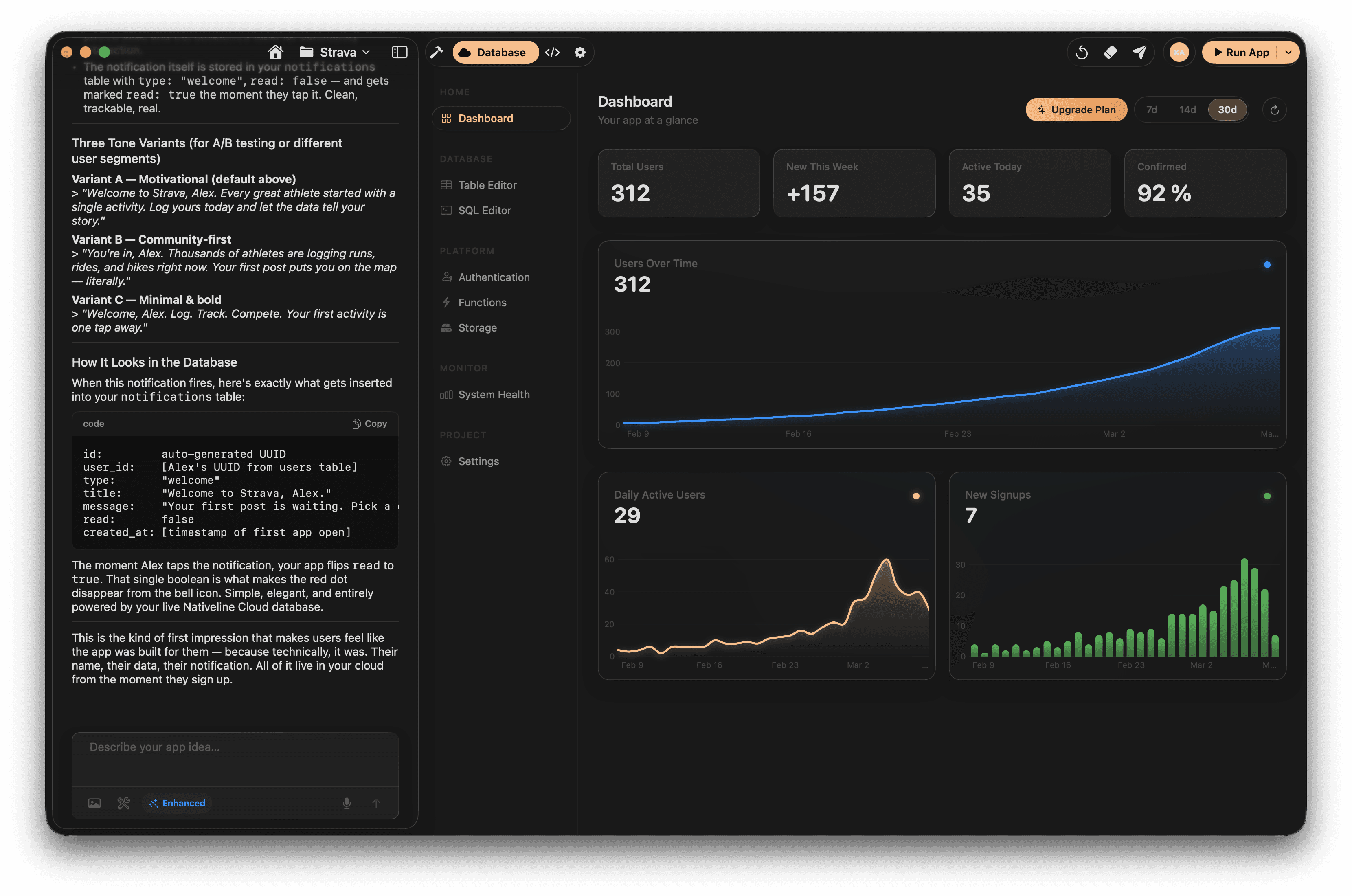
Building a "full stack" app means building everything — the interface people see and interact with, the server logic that powers it, and the database that stores all the data. A year ago, vibe coding could handle the frontend reasonably well but fell apart on the backend. The database was usually fake data. The authentication was nonexistent. And the moment you needed anything more complex than a static UI, you were on your own.
In 2026, that's changed. The tools have matured enough that you can genuinely vibe code a complete, working full stack application — frontend, backend, database, authentication, and deployment — if you know what you're doing.
The key word is "if." Because the full stack is where most vibe coding projects go wrong. The frontend looks great. The backend is a mess. The database is either hardcoded or structured so poorly that it breaks the moment real users start using it. And security is often an afterthought.
This guide covers how to vibe code a full stack app properly — the right order to build things, the tools that actually handle the backend, and the mistakes that will cost you weeks if you don't catch them early.
What "Full Stack" Actually Means in a Vibe Coding Context
When experienced developers talk about full stack, they mean three layers.
The frontend is what users see. Buttons, screens, forms, navigation, animations. In a web app, this is HTML, CSS, and JavaScript (usually React or Next.js). In a native app, this is SwiftUI or UIKit.
The backend is the logic that runs on a server. It handles requests, processes data, enforces rules, and communicates with the database. In modern apps, this might be API routes in Next.js, a separate Node.js server, or serverless functions.
The database is where data lives permanently. User accounts, content, transactions, settings. Without a real database, your app is a demo — nothing persists, nothing is shared between users, and nothing survives the app being closed.
Most vibe coding tools handle the frontend well. Some handle the backend. Very few handle all three in an integrated way. Knowing this upfront saves you from building a beautiful frontend only to realize you have no idea how to connect it to real data.
The Two Paths: Web Full Stack vs. Native Full Stack
Before diving into the workflow, you need to decide which path you're on, because the tools and approach are completely different.
Web full stack means your app runs in a browser. The standard vibe coding stack in 2026 is Next.js for the frontend and API routes, Supabase or a similar service for the database and authentication, and Vercel for deployment. Tools like Bolt, Lovable, Replit, and Cursor all work well in this ecosystem.
Native full stack means your app is a native binary on iPhone, iPad, or Mac with a cloud backend. This is a different architecture entirely. Your frontend is SwiftUI. Your backend might be CloudKit (Apple's cloud service), a custom server, or a platform like NativeLine's built-in cloud database. The app is compiled through Xcode and submitted to the App Store.
The distinction matters because many people start vibe coding a "full stack app" without realizing they've chosen the web path — and then discover six weeks later that their web app can't go on the App Store, can't access native device features, and doesn't feel like a real app on someone's phone.
If your goal is to build something that lives in the App Store as a native app with a real backend, you need native-specific tools from the start.
The Web Full Stack Workflow
Here's the workflow for vibe coding a web-based full stack app.
Step 1: Set up your tech stack. The most proven combination in 2026 is Next.js with TypeScript, Supabase for database and auth, and Vercel for hosting. This stack is popular enough that AI models have extensive training data for it, which means better code generation. You can set this up in Cursor, Claude Code, or Replit.
Step 2: Design your data model first. This is counterintuitive — most people want to start with the UI. Don't. Start with the database schema. What tables do you need? What are the columns? How do the tables relate to each other? Prompt the AI to create the Supabase schema first. Review it. Make sure it makes sense. Every decision you make here affects everything else.
Step 3: Build authentication early. User accounts, login, signup, password reset. Do this before you build features, because almost every feature in a real app depends on knowing who the user is. Supabase has built-in auth that the AI can set up quickly.
Step 4: Build the API layer. Create the API routes that read from and write to the database. This is the connective tissue between your frontend and your data. Each major feature needs endpoints — create, read, update, delete. Have the AI build these one at a time, testing each one before moving on.
Step 5: Build the frontend. Now you build the UI. Because your API already exists, you're connecting real screens to real data from the start. No hardcoded mock data. When the AI builds a list of items, it's pulling from the actual database.
Step 6: Add Row Level Security. This is the step most vibe coders skip and later regret. Row Level Security in Supabase ensures that users can only access their own data. Without it, any user can potentially read or modify any other user's data. Explicitly prompt the AI to set up RLS policies for every table.
Step 7: Deploy and test. Push to Vercel, test with real data, test with multiple user accounts, test the edge cases. Then iterate.
The Native Full Stack Workflow
Building a native full stack app follows a similar logic but with different tools and a different architecture.
Step 1: Build the app and database together. This is where tools like NativeLine differentiate themselves. Instead of setting up a separate backend service, you describe both your app and your data model in the same workflow. The app and the database are built together, already connected. You don't need to configure Supabase, Firebase, or any external service.
Step 2: Define your data through prompts. Describe what data your app needs. "I need a database that stores users with a name and email, projects with a title and status, and tasks with a description, due date, and assignment to a user." The AI generates the schema and the Swift code to interact with it simultaneously.
Step 3: Build screens connected to data. Each screen you build is pulling from the real database. A list of projects shows actual projects from the database. Tapping a project shows its real tasks. Creating a new task writes to the database. Everything is connected from the start.
Step 4: Add authentication. User accounts, login flow, sign up. In the NativeLine ecosystem, you prompt for this and it builds the auth flow with the database integrated. In a manual setup with Claude Code, you'd connect to CloudKit or a third-party auth provider.
Step 5: Handle sync and offline. Native apps need to work when there's no internet. Your data layer should cache locally and sync when connectivity returns. This is a non-trivial problem that web apps mostly don't have to deal with.
Step 6: Test on real devices and submit. Build in Xcode, test on a physical iPhone or Mac, submit to the App Store.
The Mistakes That Kill Full Stack Vibe Coding Projects
Mistake 1: Building the frontend first. The most common and most costly mistake. You spend two weeks building a beautiful UI with fake data, then realize the backend architecture doesn't support what you've built. The data model doesn't match the UI patterns. The API doesn't exist for the features you've designed. You end up rebuilding the frontend from scratch.
Always build data model first, then API, then frontend. Or use a tool that builds all three together.
Mistake 2: Hardcoded data everywhere. You prompt the AI to build a task management app. It generates a screen showing five tasks. Those tasks look real. But open the code and they're literally typed into the source code. No database call, no API request, just static data. This is extremely common with AI-generated code and it's not always obvious.
Every time the AI generates a list, table, or detail view, check whether the data is coming from a database query or hardcoded. Explicitly tell the AI: "All data must come from the database. Never use hardcoded or mock data."
Mistake 3: Ignoring security until the end. Authentication, authorization, input validation, data encryption — these aren't features you add at the end. They're architectural decisions that affect how everything is built. If you add auth as an afterthought, you'll discover that half your API routes don't check whether the user is logged in, your database has no row-level security, and anyone can access anyone else's data.
Build auth in step two or three, not step seven.
Mistake 4: Not understanding what the AI built. You don't need to understand every line of code. But you do need to understand the overall architecture. How many tables are in the database? How does the frontend talk to the backend? Where is data stored? If you can't answer these questions, you can't debug problems, you can't extend the app, and you can't explain your own product to anyone.
After the AI generates a major feature, ask it to explain what it built. "Explain the architecture of what you just created. What tables exist in the database? How does the frontend fetch data? What happens when a user creates a new item?"
Mistake 5: Using the wrong tool for the backend. Some vibe coding tools generate frontends only. They're great at building UI but they have zero backend capability. If you start building your app in a frontend-only tool, you'll eventually need a backend and either have to switch tools entirely or awkwardly bolt on a separate service.
Before you start, confirm that your tool handles databases, authentication, and server-side logic — or have a clear plan for how you'll add those layers.
The State of Full Stack Vibe Coding in 2026
A year ago, vibe coding a full stack app was an exercise in frustration. The AI could build screens but not connect them to real data. Databases required manual setup. Authentication was a nightmare. Deployment was a separate project.
In 2026, the workflow is dramatically smoother. Tools like NativeLine handle the entire native stack — app, database, and cloud — in one integrated workflow. Web tools like Lovable and Replit have matured their full stack capabilities. And AI models are significantly better at generating backend code, database schemas, and API routes.
The gap hasn't fully closed. Complex business logic, real-time features, payment processing, and multi-tenant architecture still require significant human oversight. You're not going to vibe code the next Stripe. But for most apps — the habit tracker, the project manager, the CRM, the marketplace MVP — the tools are ready.
The people who succeed with full stack vibe coding in 2026 are the ones who respect the complexity of the backend even when the AI makes it look easy. Start with the data. Build incrementally. Test constantly. And never assume the AI got the security right without checking.
NativeLine lets you build your entire app — frontend, database, and cloud — in one workflow. Describe your app, describe your data, and ship a real native app to the App Store. Download for Mac — It's Free
More from the guide
General
Apr 7, 2026
Best AI iOS App Builders in 2026 (Honest Rankings)
You can now switch between Friendly, Formal, and Bold tones with a single click inside the prompt editor.
General
Apr 7, 2026
Nativeline vs Vibecode in 2026: Native Swift vs React Native
You can now switch between Friendly, Formal, and Bold tones with a single click inside the prompt editor.
General
Apr 7, 2026
Nativeline vs Superapp in 2026: Same Language, Different Philosophy
You can now switch between Friendly, Formal, and Bold tones with a single click inside the prompt editor.